
 Track Order
 myAcademy® Rewards Credit Card
 Need Help?
Buy Online + Pick Up In Store

How Pick Up Works







Two Ways to Pick Up
 In-Store Pick Up
 Curbside Pick Up
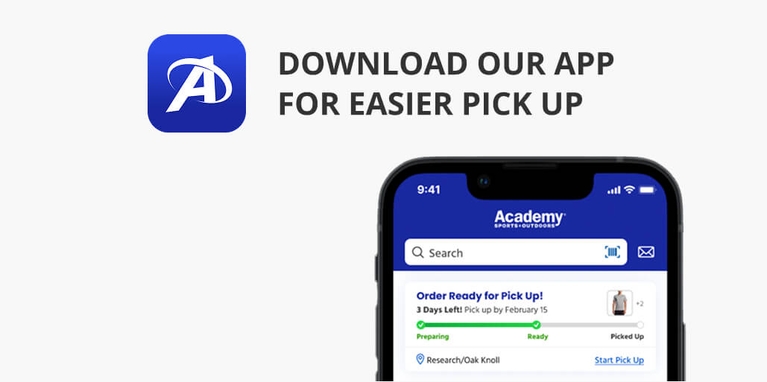
Download Our Academy Sports + Outdoors App



Frequently Asked Questions
In-store and/or curbside pick up lets you place orders online at Academy.com or via the mobile app and pick them up at your local Academy store.
All Academy retail stores offer in-store pickup for orders placed online at Academy.com. Please choose the ‘Store Pickup’ option at checkout to initiate the process and choose your preferred location.
Not all items are eligible for in-store pick up. Our product pages detail whether they are available for the buy online, pick up in store option. Select “Change Store” to view the stock of a different store. Please note that store hours may vary and conditions may apply.
We do not charge your form of payment until you pick up your order at the store. However, we do process your debit or credit card for payment authorization for the total order amount when you place an order.
You will receive a confirmation email, text, and/or app notification that your order is ready for curbside or in-store pick up.
Yes! You can set an alternate pick up person on the checkout page when placing an order. The person you designate for in-store or curbside pick up must present their valid government-issued ID and the order number.
When the order is ready in-store, you have 5 days to pick up your items. After that, your order will be automatically canceled and your card will not be charged.
Please make sure the confirmation email is not in your spam, junk, or promotions folder(s). You can also check the app for your order's information.
If you are unable to locate it, our Customer Care team can help you via live chat (located at the bottom of the page) or by phone at 1-888-922-2336.
No. We sell a wide range of items. Some are not eligible for curbside pick up. We may require you to come inside the store so we can verify your identity, age, or other factors.
Typically, you can pick up your order in as little as 1 hour from when you place it. When you place an order within 2 hours of your selected store closing, it will likely be ready for pick up the next day.
You can extend your pickup window once your order reaches “Ready” status. Please log in to your account and go to your purchase history page. If eligible, you’ll see an option in your order details to extend the pickup‑by date by a limited number of days, and this extension can typically be used only once per order.
Yes. You can change your pick-up location by locating your order via the "Track Order" self-service option located in our left-hand menu and by accessing your myAcademy Rewards account. Once you've located your order, you can choose to update the pick-up location via the "Edit" button.
Yes! myAcademy Rewards members can change their alternate pick up person using our mobile app. You can do this by going into your account on the Academy mobile app, find and select your order under Purchases, click edit, and select Change Alternate Pick-up Person.
Yes. Sign in to your myAcademy Rewards account or log in to the Academy mobile app. Choose "View Your Account" to find your order history. You can click "Cancel Order" in the order details. You can also contact our Customer Care team via live chat (located at the bottom of the page) or by phone at 1-888-922-2336.
All returns for any online orders with curbside or in-store pick up must occur in-store. Simply bring your items to any Academy store. We do not accept or process in-store or curbside pick up orders returned by mail.
Cancel Order or Item(s)
Our team processes orders shortly after customers place one. You’ll have a short period of time to cancel or modify your order once you place it on Academy.com. We cannot guarantee exactly how much time you’ll have at this time.
Shipping, Same Day Delivery & Bulk Delivery orders are eligible to be canceled by item or by order while the order is being prepared. Once the order is ready to ship or be delivered, the order is no longer eligible for cancellations. Please reference the Return Policy for more information if you no longer need the item(s).
Store Pick Up orders are eligible for item and order level cancellation while the order is being prepared. Once the order is packed and ready for the customer to pick up, only the entire order can be canceled.
- Sign in to your myAcademy account.
- Locate the order in the purchases tab.
- You can select Cancel Item or Cancel Order from the Order Details page.
Please note the option to request cancellation will only appear for items that have yet to be processed for shipping.
Choose a cancellation reason, then select Submit. These details help us find ways to improve your online shopping experience.
After requesting cancellation
You'll receive an email and SMS (if enabled) confirming the cancellation status. You won’t be charged for a canceled item, but your card may reflect a temporary authorization hold. Funds will become available once your bank releases the hold.
- Go to the Track Orders & Purchases page.
- Enter the Order Number (located on the order confirmation email/SMS) and email associated with the order.
- Select View Purchase Details.
- You can select Cancel Item or Cancel Order from the Order Details page.
Please note the option to request cancellation will only appear for items that have yet to be processed for shipping.
Choose a cancellation reason, then select Submit. These details help us find ways to improve your online shopping experience.
After requesting cancellation
You'll receive an email and SMS (if enabled) confirming the cancellation status. You won’t be charged for a canceled item, but your card may reflect a temporary authorization hold. Funds will become available once your bank releases the hold.
- Select the order from your purchases in the account tab mobile app to view order details.
- Select Cancel Item from the Purchase History or Details page. You can also select Cancel Order from the Purchase Details.
Please note the option to cancel an item or cancel an order will only appear for items that have yet to be processed for shipping.
Select the item(s) or order that you wish to cancel, then select a cancellation reason. These details help us find ways to improve your online shopping experience.
Submit for Cancellation.
After requesting cancellation
You'll receive an email and SMS (if enabled) confirming the cancellation status. You won’t be charged for a canceled item, but your card may reflect a temporary authorization hold. Funds will become available once your bank releases the hold.
You will receive an email and SMS (if opted in) order confirmation as soon as we receive your order. Once we start processing it, items may be canceled for reasons such as:
- An item is no longer available
- We cannot meet the SLA that the customer selected
- The payment method can't be processed
- The shipping address can't be verified
- For Pick Up in Store/Curbside orders, we'll cancel items that aren't picked up during the pickup window, 5 days from Order Placement.
In the event that we can help avoid a cancellation, we will provide options to the customer to change a store location or select a new shipping date for the item. These changes will be sent to the customer via Email/SMS and can always be accessed via the Account.
We do our best to ship orders quickly. If the order is being prepared for shipment or delivery, you may be able to cancel the item or order. It may also be possible to request to change to store pick up or change the address. Once your order has shipped and tracking details are available, you can contact the carrier directly to refuse the delivery.
When you’re unable to cancel or modify it, we’ve fully processed the order. At this point, we are unable to accept changes or cancellations.
Firearms Purchases
Customers have the option to purchase firearms online via Academy.com and have the firearm delivered to their local store or purchase firearms in-store. Academy offers a selection of specialty firearms that can only be shipped to a store. Academy has partnered with multiple vendors to fulfill these orders allowing for a larger assortment available to our customers. The customer who purchases the firearm online must be the same person who picks up the firearm from the store.
Users cannot complete a transaction via the mobile app in order to comply with all regulations across the Apple & Google platforms. Apple users are able to browse firearms via the mobile app but can then be transferred online to complete the transaction. We are no longer able to show users firearms and ammo in order to comply with Google’s Dangerous Product Policies.
In most instances, the promotions and discounts that are offered by Academy Sports + Outdoors, firearms are excluded. Please review the offer terms and conditions in order to see if a firearm purchase is included in the promotion.
A valid government-issued photo ID: This typically means a driver's license, state-issued ID card, or passport. The ID must be current and include your name, address, and date of birth.
The paperwork from your purchase: This includes the Form 4473 (Firearms Transaction Record) that you will receive and complete in store.
Your background check approval: In most cases, you'll need to pass a National Instant Criminal Background Check System (NICS) background check before you can take possession of the firearm. Academy will typically initiate this check when you purchase the firearm.
Additional requirements: There may be additional state-specific requirements, such as a waiting period or a firearms safety training certificate.
Online Orders:
- The original online purchaser is the only person who can complete the firearm paperwork and pick up the firearm from the store.
- The customer must be a resident of the state where the store is located and the firearm will be picked up. This applies to all firearm types.
Important Notes:
- Firearm laws vary by state: It's essential to familiarize yourself with the specific firearm laws in your state, as requirements can differ significantly.
You can cancel a special order firearm purchase while it is preparing to be shipped. Once the firearm is packed and ready to ship to the store, it may no longer be canceled. You can cancel the purchase in store or via the customer service team when it reaches the Ready for Pick Up status.
Please reference the Return Policy for more information.
Yes. Something to note is that the person making this request must be the original purchaser and we are unable to provide a firearm serial number over the phone.
The original purchaser may go to the Academy Sports + Outdoors where they originally purchased the firearm and must present a government-issued ID before the firearm serial number can be released.
The original purchaser must provide the exact date when the firearm was purchased for the store to locate the transaction and release the serial number.
Please visit Order Modifications for more information about Changing the Store Location for Pick Up Orders and Changing the Delivery Method to Shipping options.